Free, unlimited
Quick schedule
Neither you nor your invitees need an account. Share a URL and collect yes/maybe/no answers or availability.
No emails or calendar entries. Deleted 90 days after the last answer or edit.
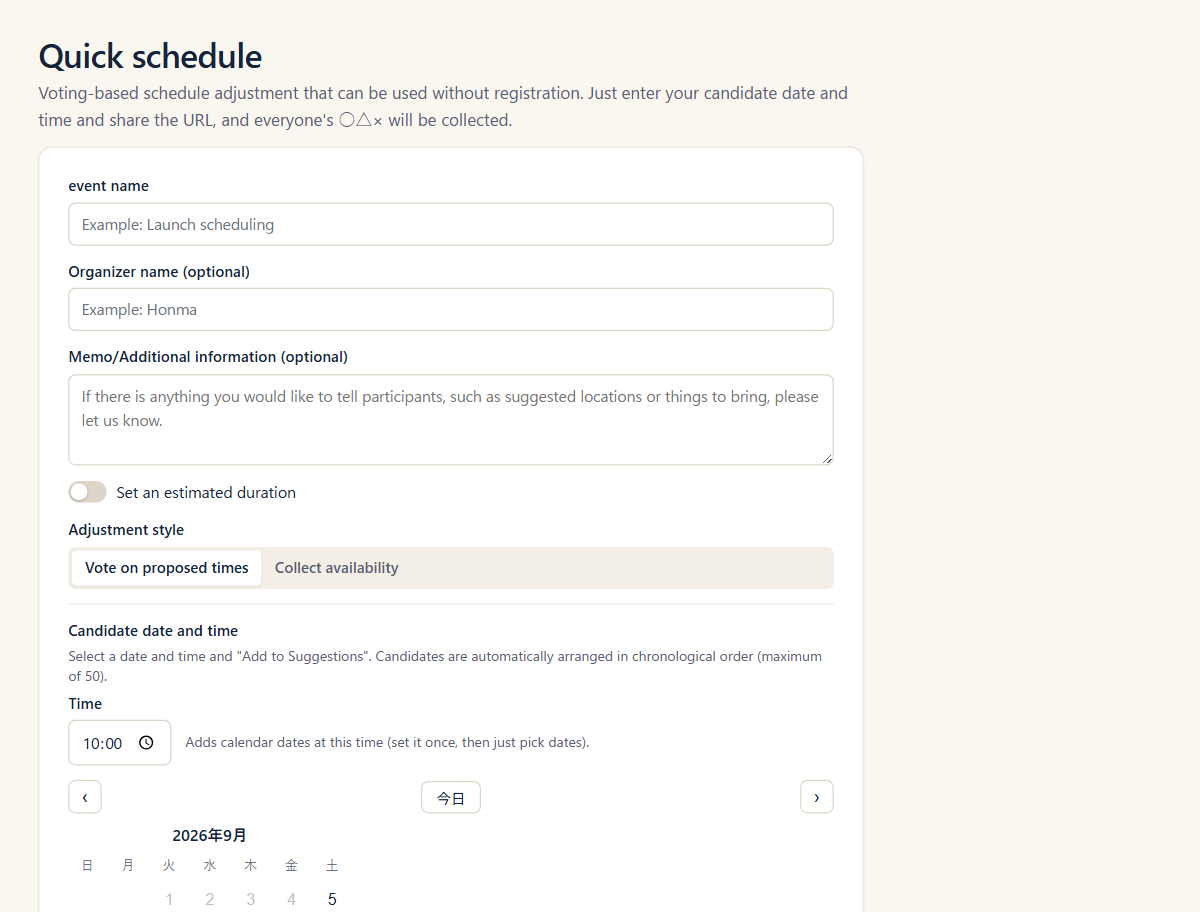

Four scheduling methods, plus Quick schedule that works without an account. People outside your organization never need to sign up.
Notifications, meeting URLs, and calendar entries can follow automatically once a time is confirmed.
Neither you nor your invitees need an account. Share a URL and collect yes/maybe/no answers or availability.
No emails or calendar entries. Deleted 90 days after the last answer or edit.
| Poll | Booking page | Team booking page | Member availability | Quick schedule | |
|---|---|---|---|---|---|
| Proposed times | Organizer proposes | Automatic | Automatic | Automatic | Organizer proposes |
| Confirmed by | Organizer | Invitee, on picking | Invitee, on picking | Organizer | Organizer |
| External invitees | Available | Available | Available | Members only | Available |
| Organizer account | Required | Required | Required | Required | Not required |
| Calendar | Suggests from your free time | Skips your busy times | Skips hosts' busy times | Skips everyone's busy times | Not available |
| Confirmation notice | Available | Available | Available | Available | Not available |
| Meeting URL | Available | Available | Available | Zoom only | Not available |
| Plan | Free | Free | Pro | Pro | Free |
Meeting URLs and calendar entries work once you connect those tools. See Pricing for Free plan limits (Quick schedule doesn't count toward them).
Go through these from the top.
I want to decide now, without an account
Quick scheduleI want to pick members of my organization and find when they're all free
Member availabilityProI want to propose times and get yes/maybe/no answers
PollI want to publish open slots for people to pick
Just meBooking pageA teamTeam booking pagePro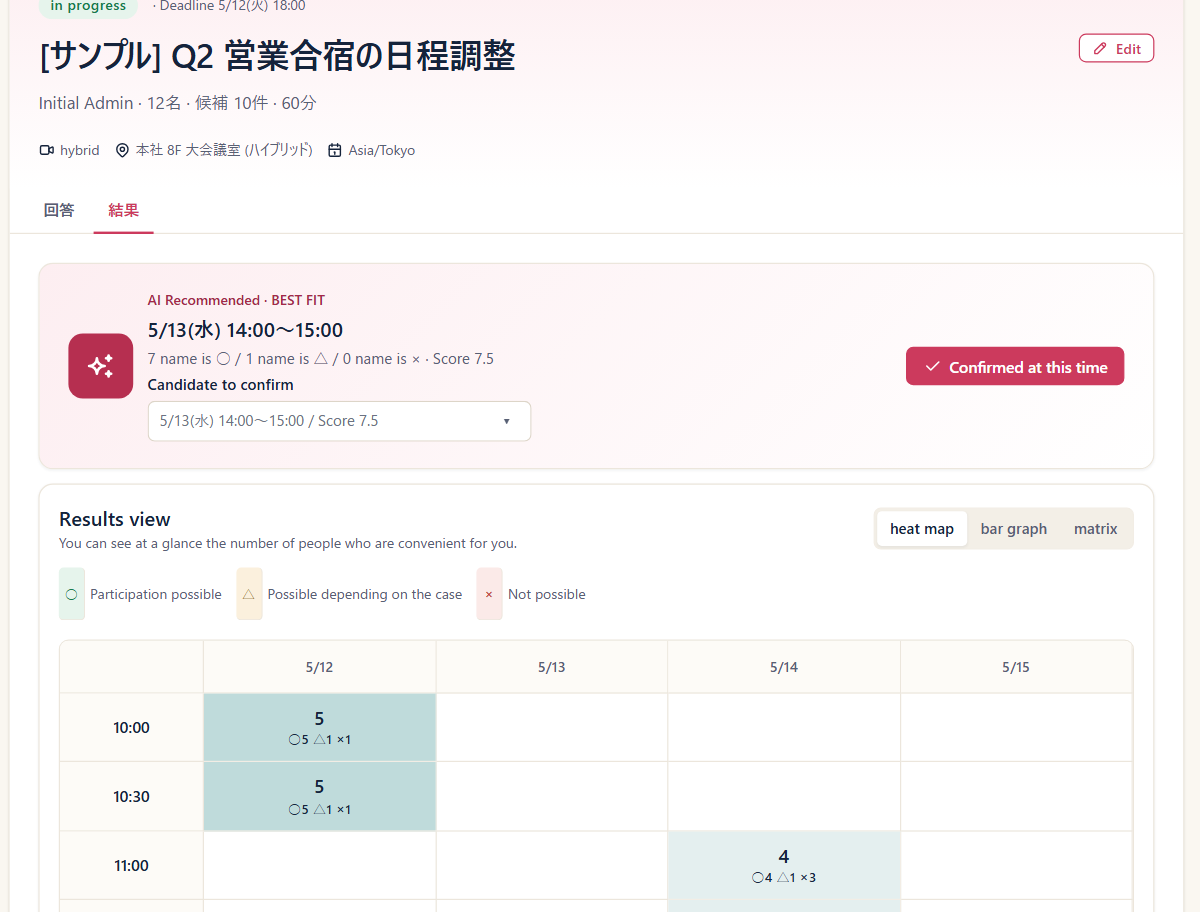
Good for: meetings with external people, large events
More about Poll →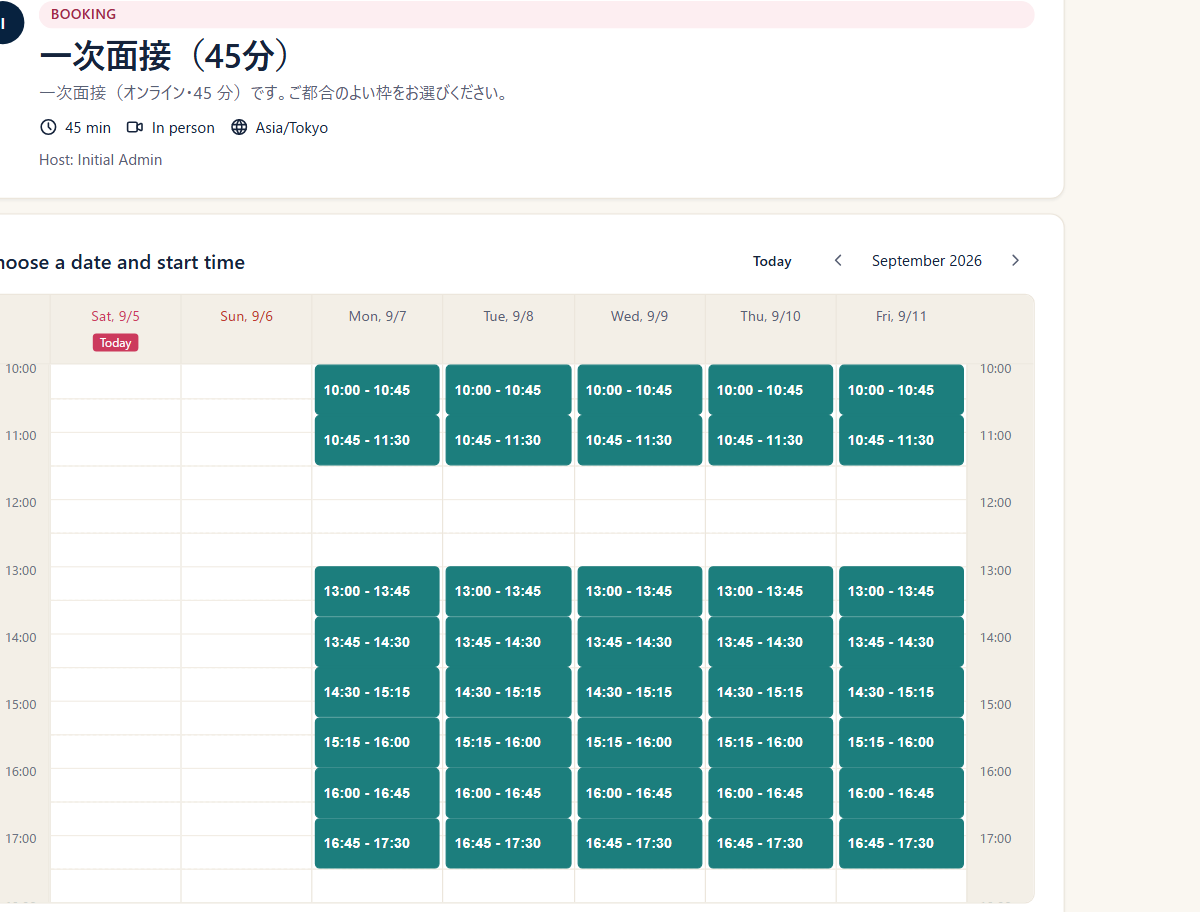
Good for: sales and support inquiries, first-round interviews
Use case: Taking 1:1 requests through a booking page →More about Booking page →Good for: sales or support desks, interviews with a full panel
More about Team booking page →Good for: internal meetings, project meetings
Use case: Recalculating the slots everyone is free, from conditions you saved once →More about Member availability →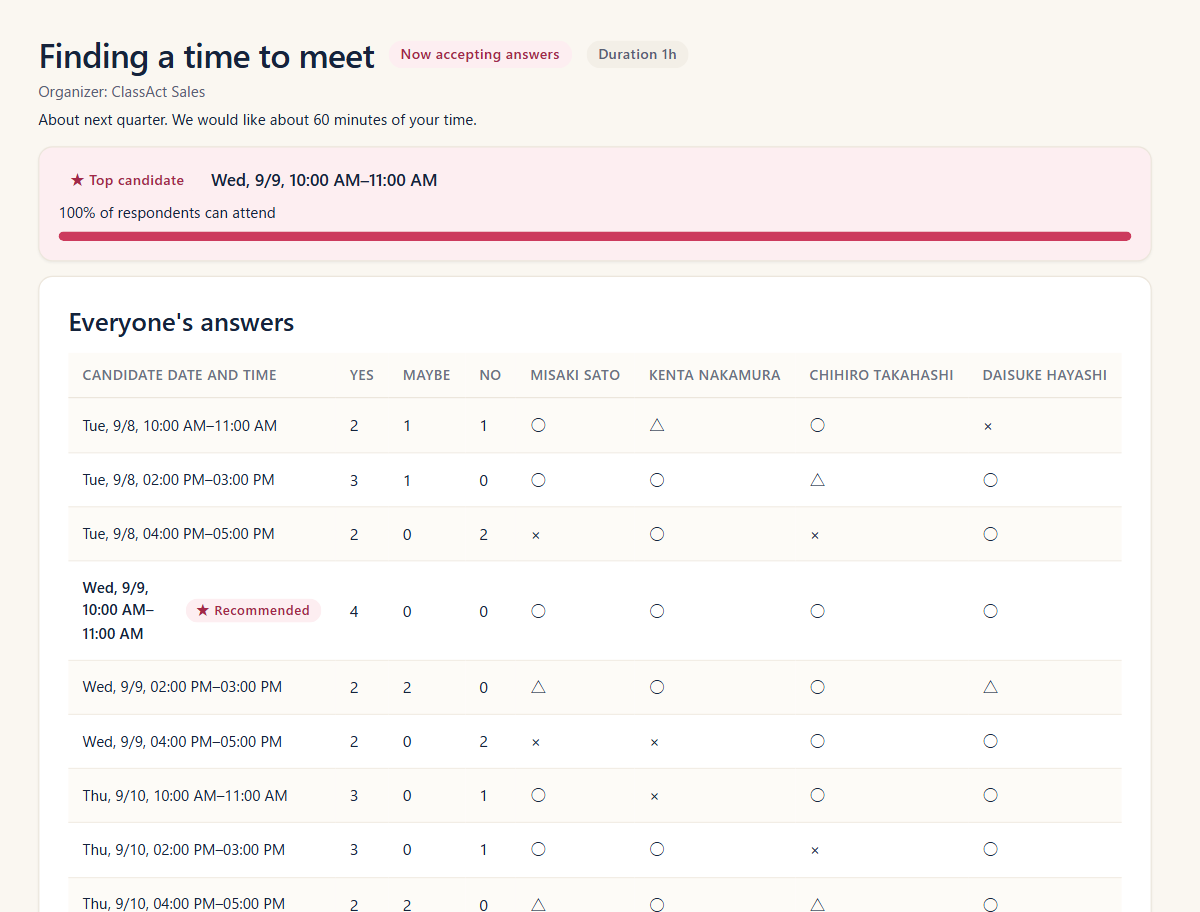
Good for: get-togethers with outside people, quick decisions
Use case: Agreeing on a time with someone outside your company, without signing up →More about Quick schedule →Without an account, you can collect answers and confirm a time.