

Stop the scheduling back-and-forth
Poll, Booking page, Team booking page, and Member availability — four scheduling flows in one service. Your guests never need an account. With Quick schedule, neither do you.
Reasons to use Tokiawase
4
Scheduling flows
Poll, Booking page, Team booking page, Member availability
Automatic
Calendar and meeting tools
Reads Google / Microsoft / iCloud events, then writes the confirmed slot back with a Zoom / Meet / Webex URL
Not required
Quick schedule sign-up
Neither the organizer nor the guests. Line up times, share the URL, done
Included
Two-factor authentication
Protect sign-in with a six-digit code from an authenticator app, on every plan
Key features
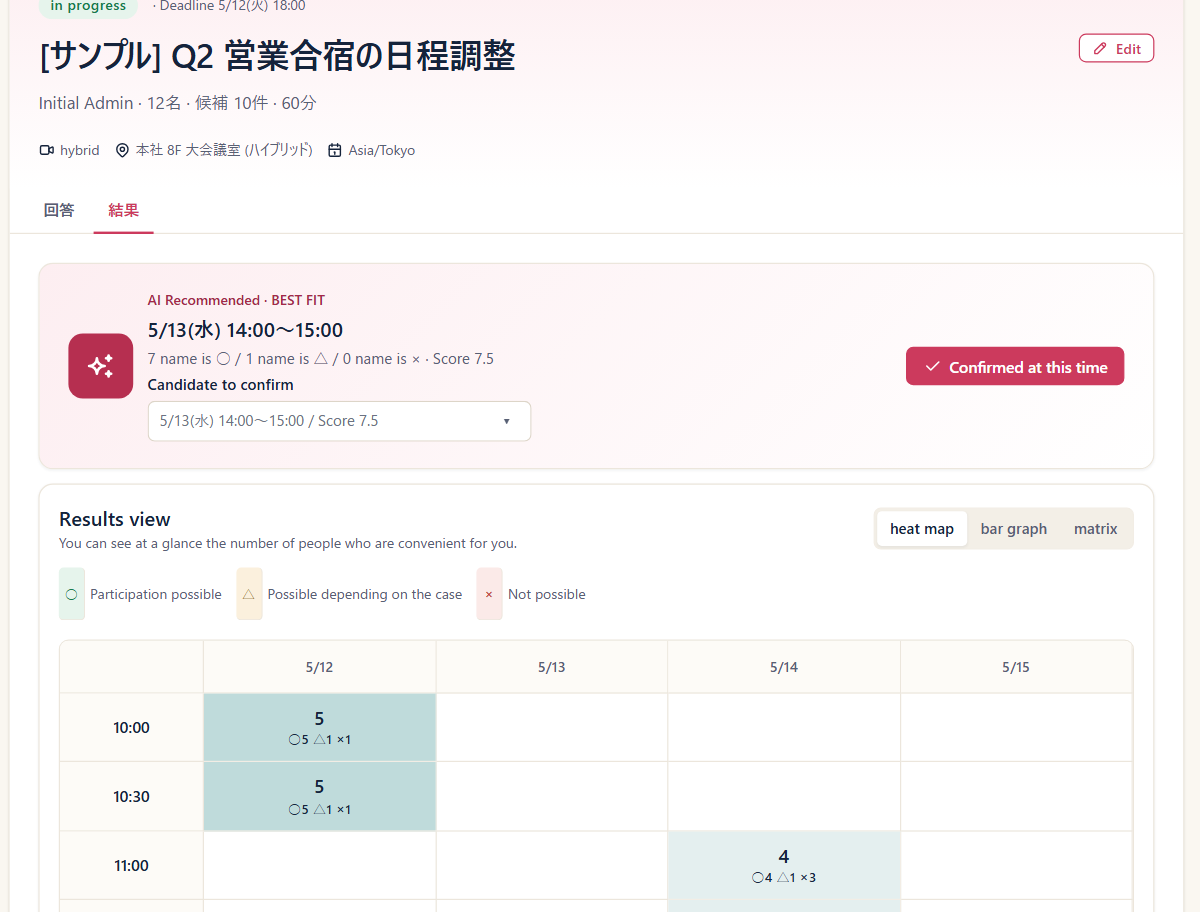
See availability together
Read across your connected calendars and offer only the times that are actually free.
Learn more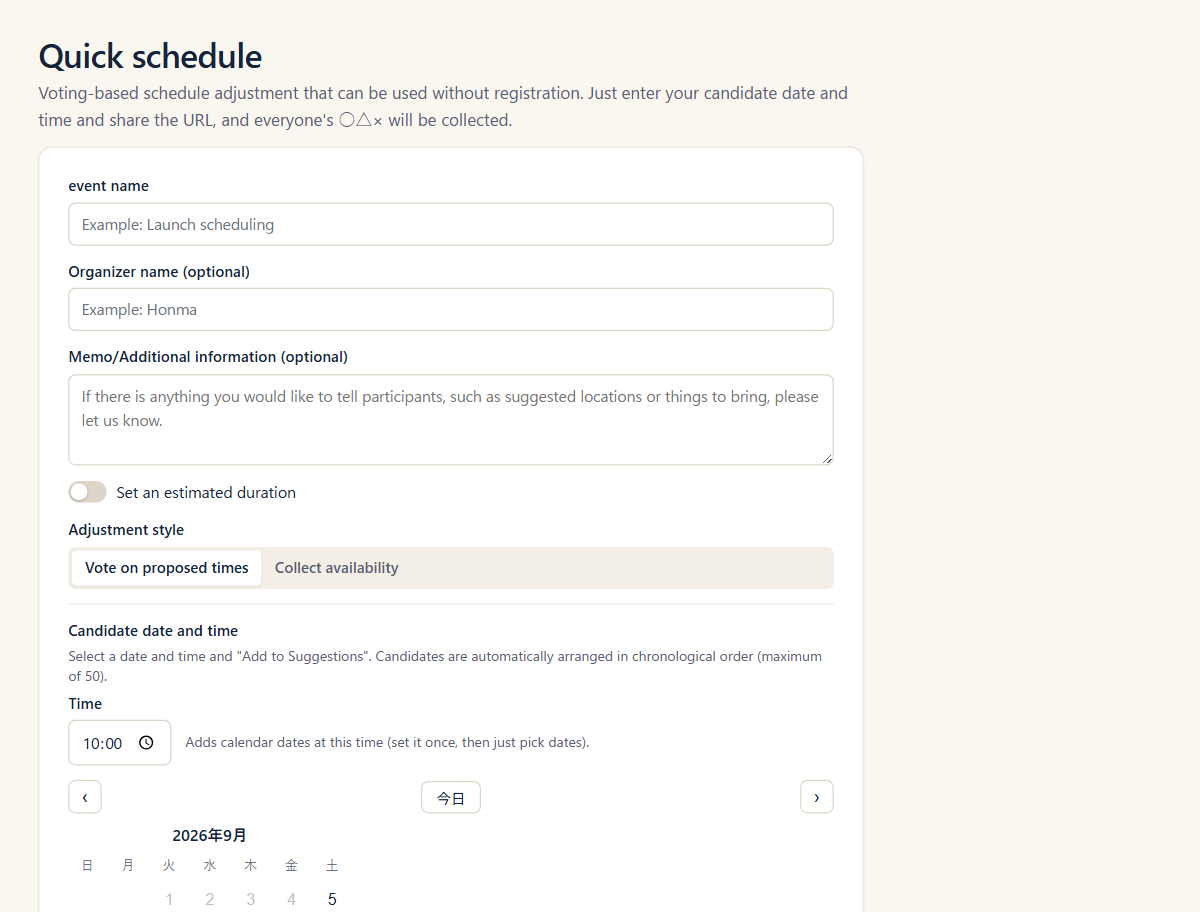
Start now, without an account
Line up candidate times and share the URL. Neither you nor your guests need an account.
Learn more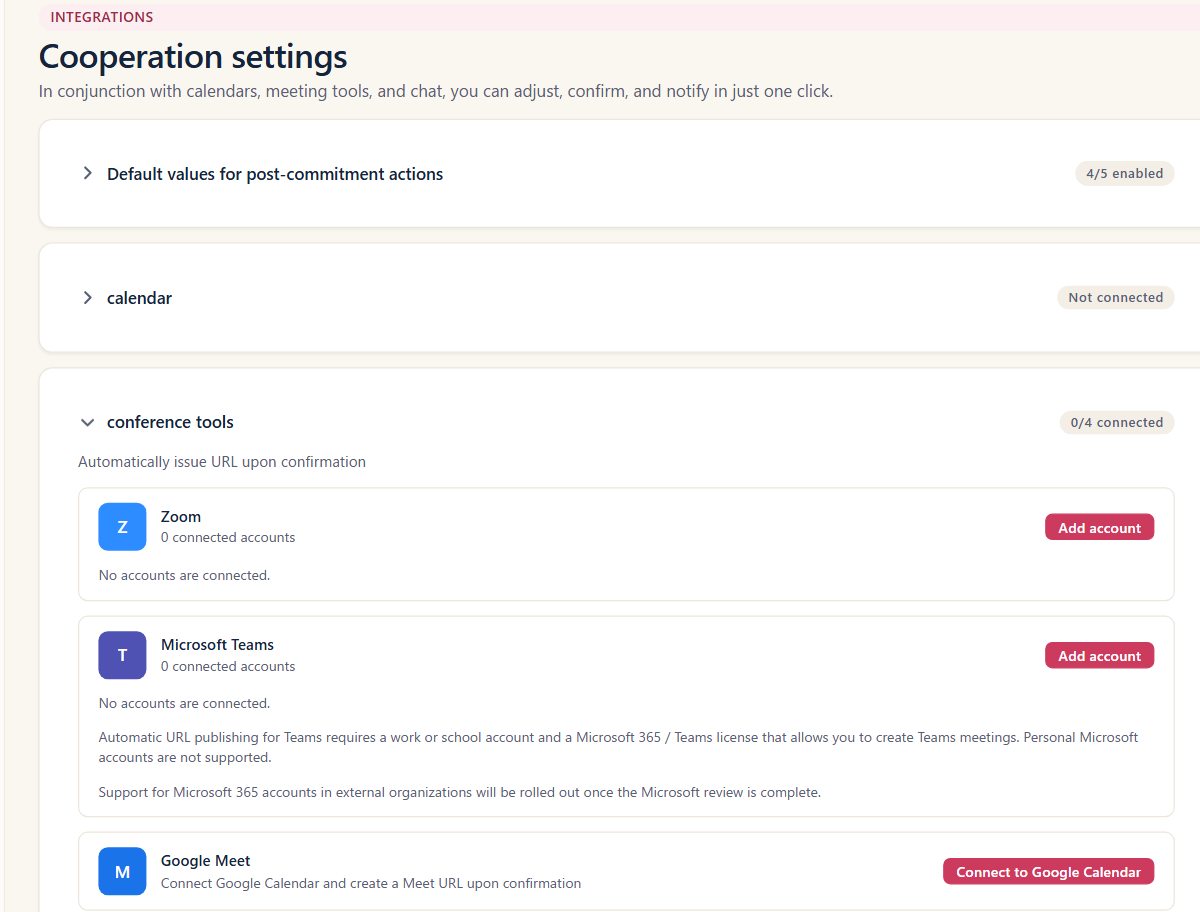
Meeting URLs on confirmation
Once a time is set, the meeting URL is issued and added to the calendar automatically.
Learn more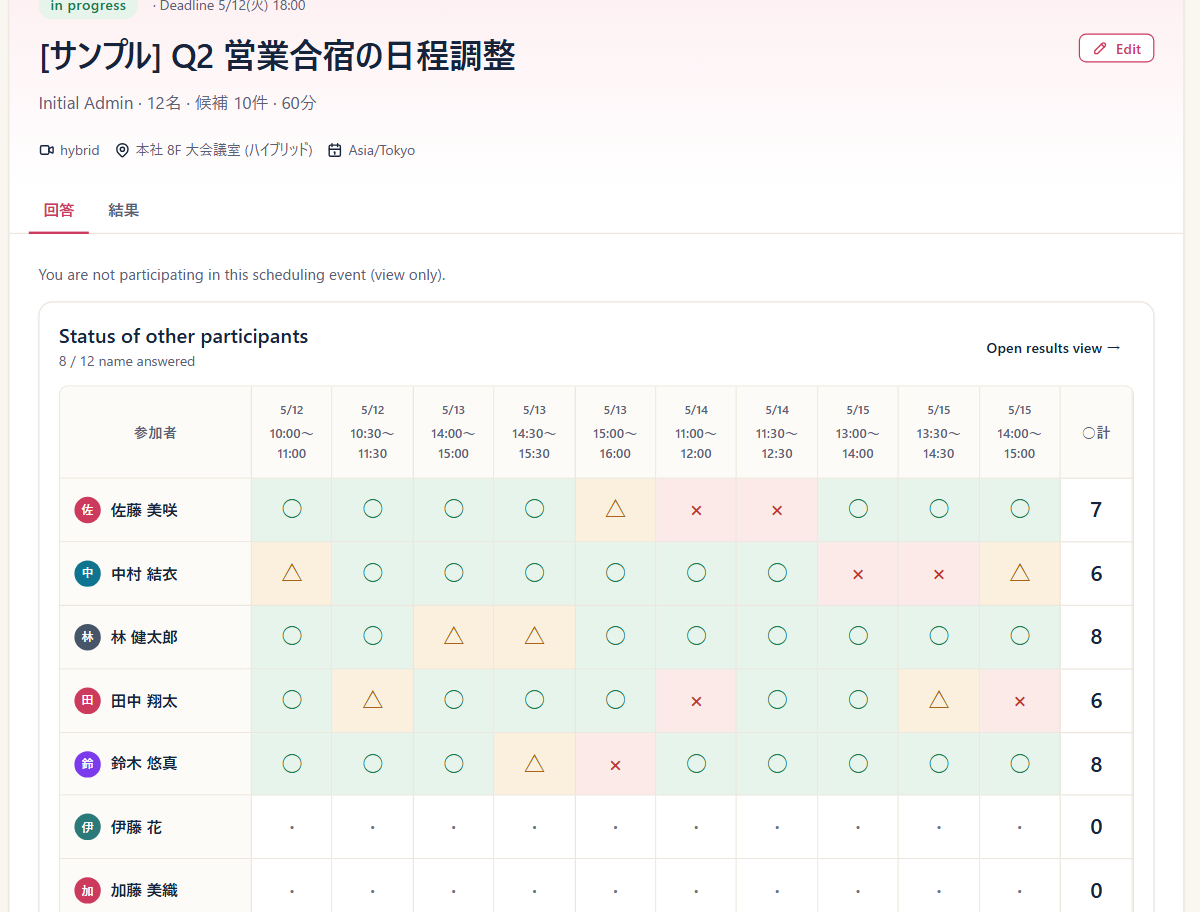
Remind only who is missing
As the deadline approaches, nudge only the people who have not answered yet.
Learn more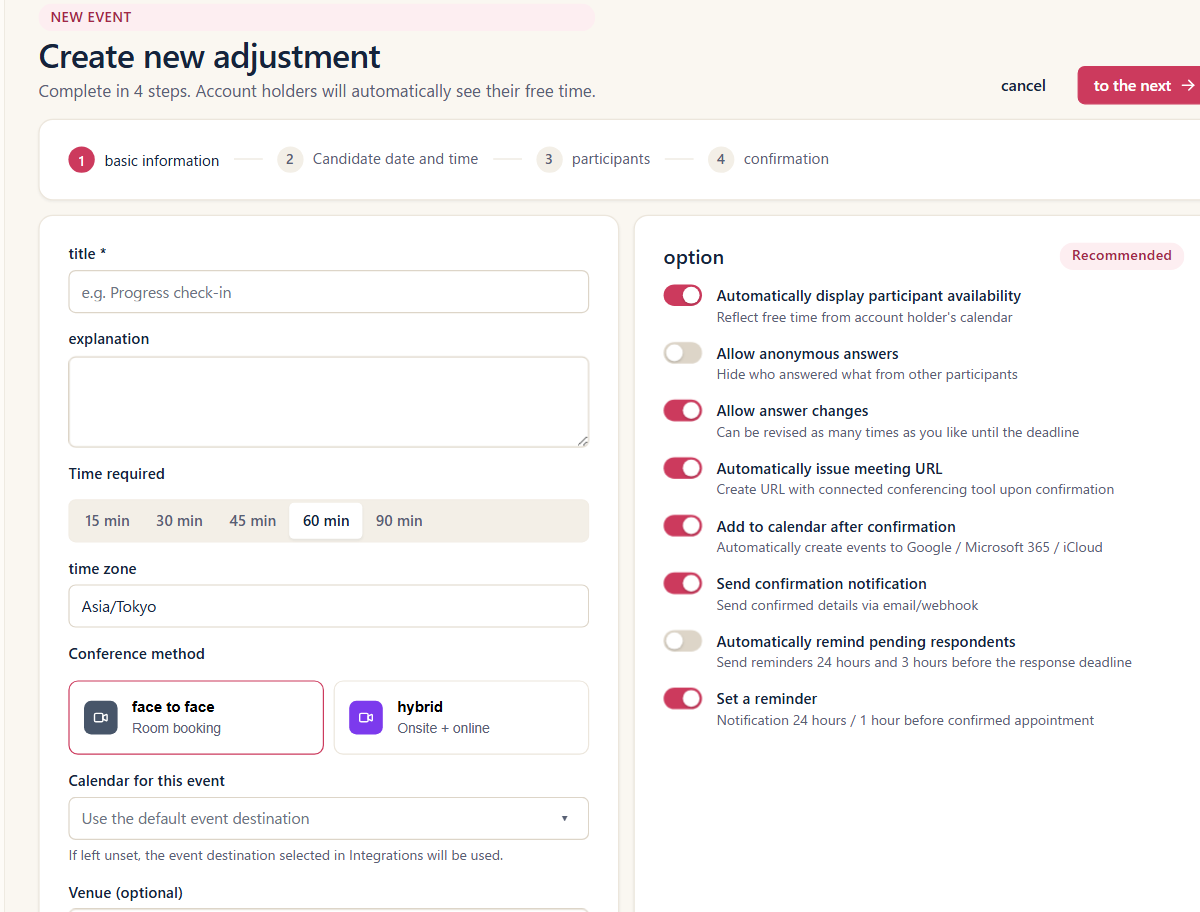
Control when you can be booked
Set the booking window, minimum notice, buffers before and after, and a daily limit.
Learn more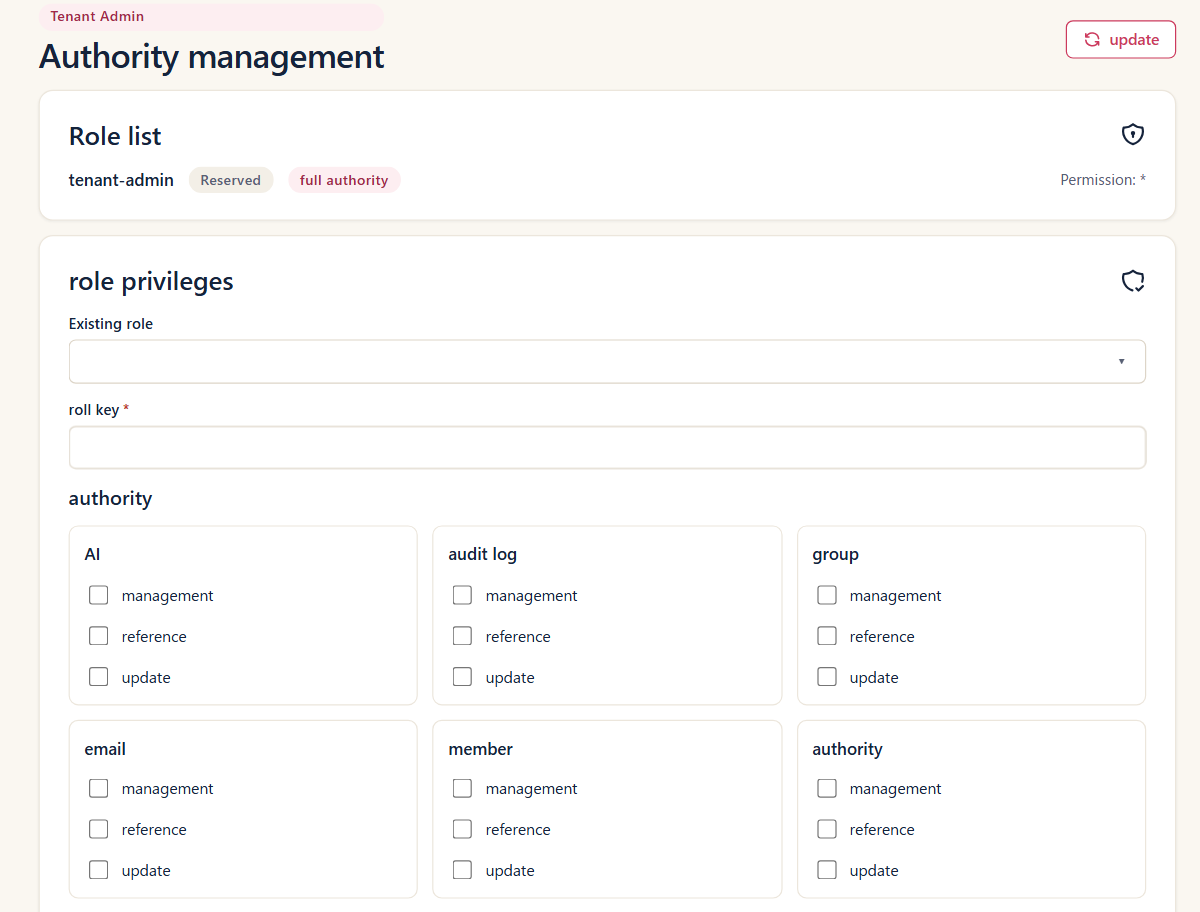
Permissions and two-factor authentication
Role-based permissions and two-factor authentication. An audit log of operations is available depending on your plan.
Learn moreUse cases
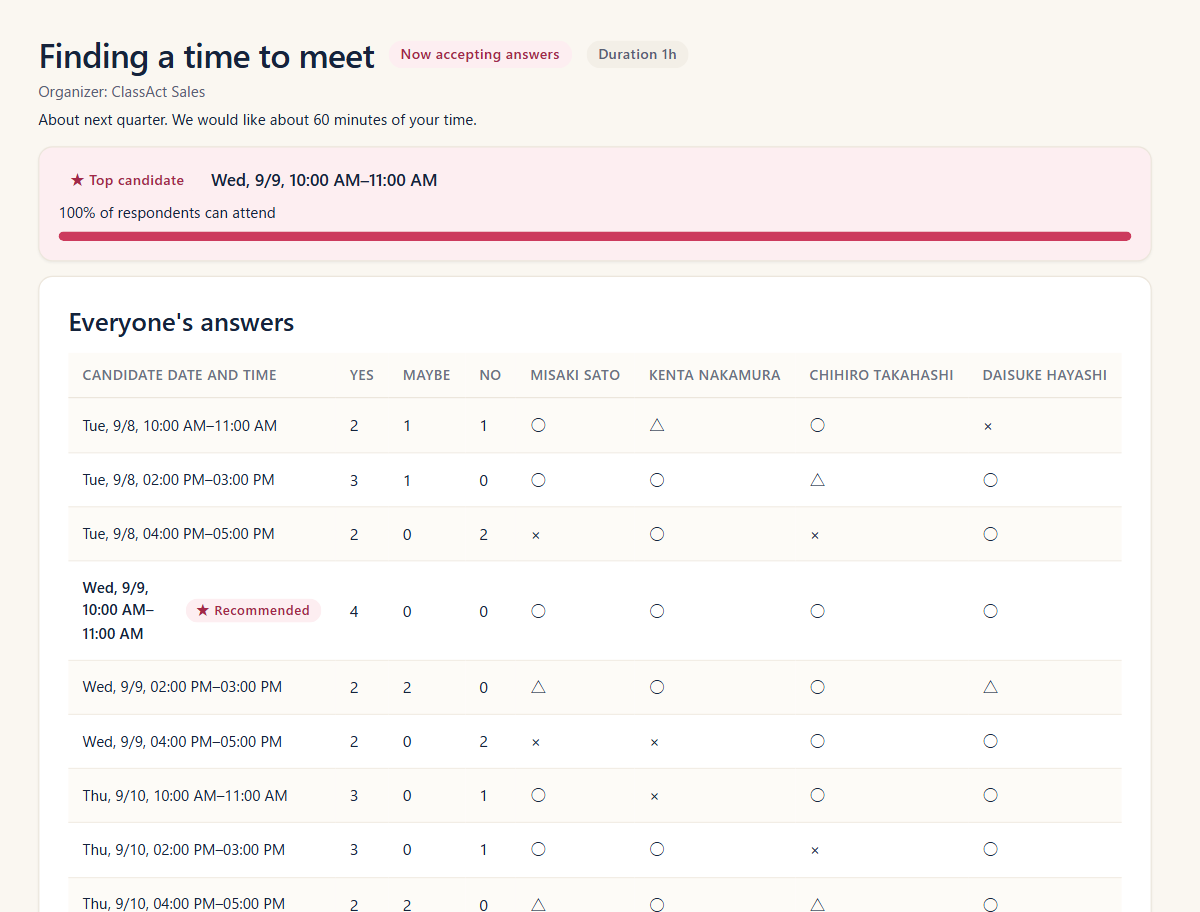
Meetings outside your team
Share candidate times or a booking page and cut the coordination emails.
Learn more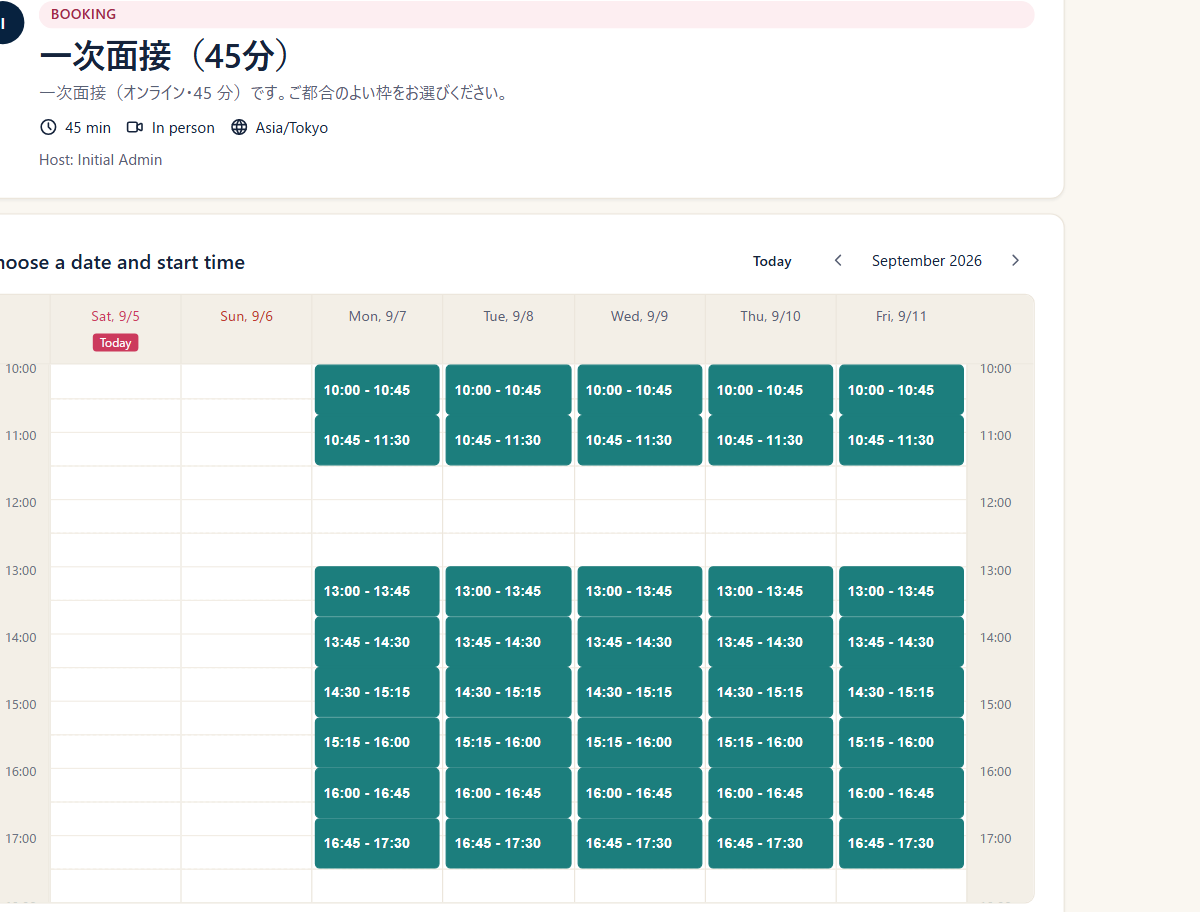
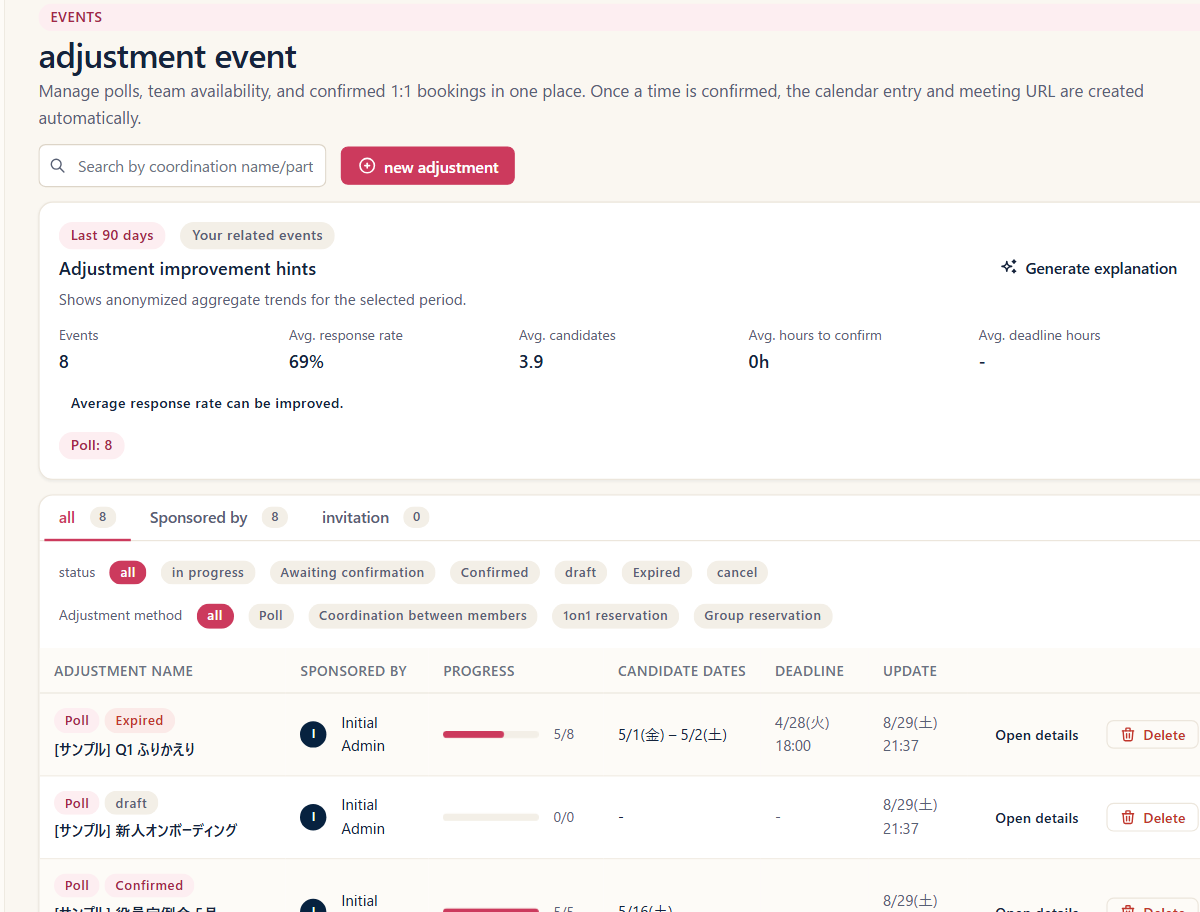
Finding a time for the team
Pick the members and the overlapping free times are calculated for you.
Learn moreOne link for the whole team
Whoever is free at that time is assigned automatically from the group.
Learn moreWhen everyone has to attend
Offer only the times when every host is free, and add them all as attendees.
Learn moreWhen you need it decided now
For a small group, propose times and settle on one in a single pass.
Learn morePer-seat pricing
Start for free. Once your team adopts it, you pay only for the people who use it.
To try it out
Free
Free
Up to 5 members / 10 hosted events per month
For everyday team use
Pro
¥330 per user / month
Unlimited members / Notification webhooks / AI assistant
For company-wide rollout
Business
¥880 per user / month
SSO and SCIM / Groups and roles / Audit log
All prices include tax. Paying annually saves you 2 months.
We will announce the launch date for paid plans once everything is ready.
Frequently asked questions
Which scheduling flows are supported?
Four scheduling flows: Poll, Booking page, Team booking page, and Member availability. There is also Quick schedule, which even the organizer can use without an account.
Does anyone need an account?
No. Booking pages, team booking pages, and response pages work for anyone you share them with. Quick schedule also works without an account for you, the organizer — it is deleted 90 days after it was last used, and every response or edit pushes that 90 days out again. Sign in from the organizer URL to keep it for good.
Which calendars can I connect?
Google Calendar, Microsoft 365, and iCloud. Once connected, availability checks and post-confirmation calendar entries are automatic.
Are meeting URLs created automatically?
When a time is confirmed, a meeting URL is created in Zoom, Google Meet, or Webex and attached to the calendar entry.
Is a booking page confirmed as soon as a slot is picked?
Yes. Booking pages and team booking pages have no approval step; the booking is confirmed the moment a slot is picked. If you would rather collect candidate times and decide yourself, use Poll or Member availability instead.
Can people change their answer later?
It is set per event. Turn on "allow changing answers" and people can revise their response as many times as they need.
Can responses be anonymous?
Turn on anonymous responses and answers are tallied without showing who chose what.
What about security?
Two-factor authentication and role-based permissions. Data is isolated per organization, so no organization can read another one. An audit log of operations is available depending on your plan.
Set up your first meeting
Line up some times and share a URL, with no account needed.